How to turn off new Instagram location tracking feature as important clarification is issued to worried users

Instagram has launched three new features on its platform, but one of them has raised concerns among some users.
On Wednesday (6 August), the social media platform announced some new additions to its app, including the ability to repost other people's Reels, and a new 'Friends' tab to see what's on your friends' Instagram feeds.
The reason behind these new features, according to the platform's press release, is to 'help you better connect with your friends on Instagram'.
An Instagram Map is also one of the new features, which allows users to share their last active location with their followers; however, this has left a few users a bit worried.
What is Instagram Map?
According to Instagram, the map allows users to 'stay up-to-date with friends', adding: "You can also open the map to see content your friends and favourite creators are posting from cool spots."
Advert
The press release states that location sharing is automatically turned off unless specifically turned on, and further stresses that it can be turned off at any time.
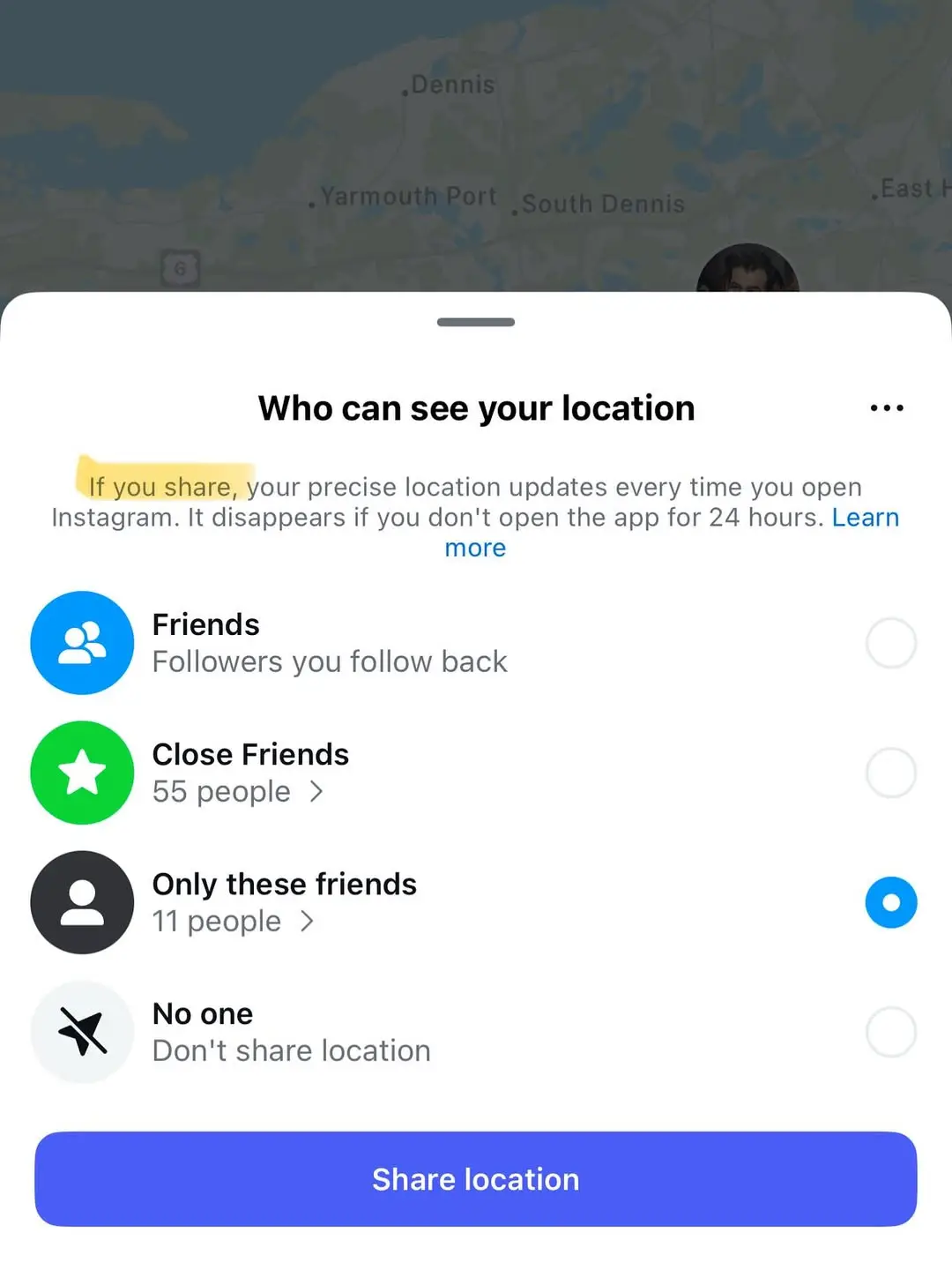
"You choose who you share your location with: friends (followers you follow back), Close Friends, Only selected friends, or no one," they continue.
"You can choose to not share location in specific places or with specific people."
As a parent in charge of your teenager's account, you will have ultimate control over these controls. The release also notes that a notification will be sent if location sharing has been enabled, facilitating 'important conversations about how to safely share with friends'.
However, despite this, some users are still concerned.
Users have been sharing their concerns online about safety, particularly in potential cases of stalking, and have cautioned others to check their settings to make sure it is turned off.
One wrote: “This is supposed to be so you ‘link up’ faster... Just in case to be safe though … go through your settings and make sure it’s off,” while another said: “As ladies, please turn it off."
Head of Instagram, Adam Mosseri, took to his page to share a clarification, writing: "Your location will only be shared *if* you decide to share it, and if you do, it can only be shared with a limited group of people you choose. To start, location sharing is *completely off*."
Meanwhile, a Meta spokesperson told the New York Post: "Instagram Map is off by default, and your live location is never shared unless you choose to turn it on. If you do, only people you follow back—or a private, custom list you select—can see your location.”
How to check if your location is turned off on Instagram
- Go to “Map,” in the Notes area at the top of your DM inbox.
- Click the icon to open the map view.
- Select the Settings icon at the top right.
- Under “Who can see your location,” select “No one.”
- Hit “Done” to save your settings.
Topics: Instagram, Social Media
 Jen Thomas